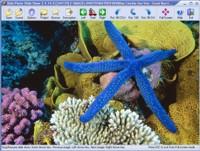
Able Photo Slide Show is a program designed to display all images as a slide show using many transition effects, each image being shown for some predetermined time before going on to the next. Program allows to browse, edit, convert and print images.
Able Photo Slide Show displays your images continuously without you doing anything. You just point it to a file in folder, say how long to display each picture, select transition effects and then sit back and watch. If a picture is too large or less for your screen, it is resized to fit keeping the aspect ratio. Able Photo Slide Show features: - Load up multiple formats of images including tif, tiff, fax, gif, jpg, jpeg, jpe, pcx, bmp, dib, rle, ico, cur, png, wmf, emf, tga, targa, vda, icb, vst, pix, pxm, ppm, pgm, pbm ... - View the slideshow with 150 transitional effects (with preview). - Full screen mode. Preview the images while loading up the list. - Project manager. - Able Photo Slide Show allows you to create standalone executable slide show and web gallery. - Description Manager. Addition and viewing of the graphic files description. The information is stored directly in files with expansions JPG, JPEG, JPE, TIF, TIFF, FAX, G3N, G3F, TGA, TARGA, VDA, ICB, VST, PIX, GIF, PXM, PPM, PGM, PBM. - You would not need to worry about different image dimensions or file type as Able Photo Slide Show would resample the images on-the-fly prior to loading them up on screen. - The panel for display of the files description. - Start and Stop buttons. - Viewing selected items or all items in the current folder. - Sequence options (forward, reverse, and random). - Repeat slide show option. - Slide delay adjustment. - Background color or images selection. - Transition delay adjustment. - HotKey buttons (Front, Back, Stop, Start, Exit from full screen mode) - Sound Playback WAV, MID and MP3). Synchronization slides with audio. Sound recording. - Image Browser. Allows to perform normal viewing functions and file management tasks (rename, move, copy, delete, e-mail ...) - Removing the Red Eye effect - Color mode converting and adjusting. - Effects (Negative, Bupmap, Lens, Wave, Morph, User filter) - Converting to Adobe PDF, PostScript PS, EPS
Requirements:
• Pentium-400
• 32 MB RAM
Operating system:Windows All
Limitations:30 days trial
Release notes:New Release

ABsee is a compact and easy-to-use image viewer, which supports 50 kinds of image formats, such as bmp, jpg, png, gif, tif, psd, pcx, ico, cur, and dwg, et al. Besides, you can also edit images directly by ABsee image editor.
Price: $0, Rating: 0, Downloads: 139
Download

view pictures from another computer
Price: $ 24.5, Rating: 10, Downloads: 104
Download

DataScene is a scientific graphing, data analysis, curve fitting, and data monitoring program. It allows the user to plot 39 types 2D & 3D graphs, to create animated graphs from data and models, to analyze data, and to chart real-time data sources.
Price: $299, Rating: 0, Downloads: 101
Download

Sharp IMG Viewer 2008 is a resource explorer which lets to open images, extract from various sources, save images in other formats, view image properties including metadata, perform operations on selected images.
Price: $37.35, Rating: 0, Downloads: 95
Download

JExifViewer is a Java program for displaying and comparing Exif informations stored in JPEG files created by digital cameras. JExifViewer is an Open Source project released under the GPL.
Price: $0, Rating: 0, Downloads: 95
Download 
 Able Photo Slide Show 2.9.12.2